How to Sign the NetSuite Pay Estimate/Order Form in 2026.2
Follow the required 2026.2 DocuSign process for signing the NetSuite Pay Estimate/Order Form during initial merchant enrollment. Learn who signs, where to begin, how to continue setup, and where NetSuite saves the signed PDF.
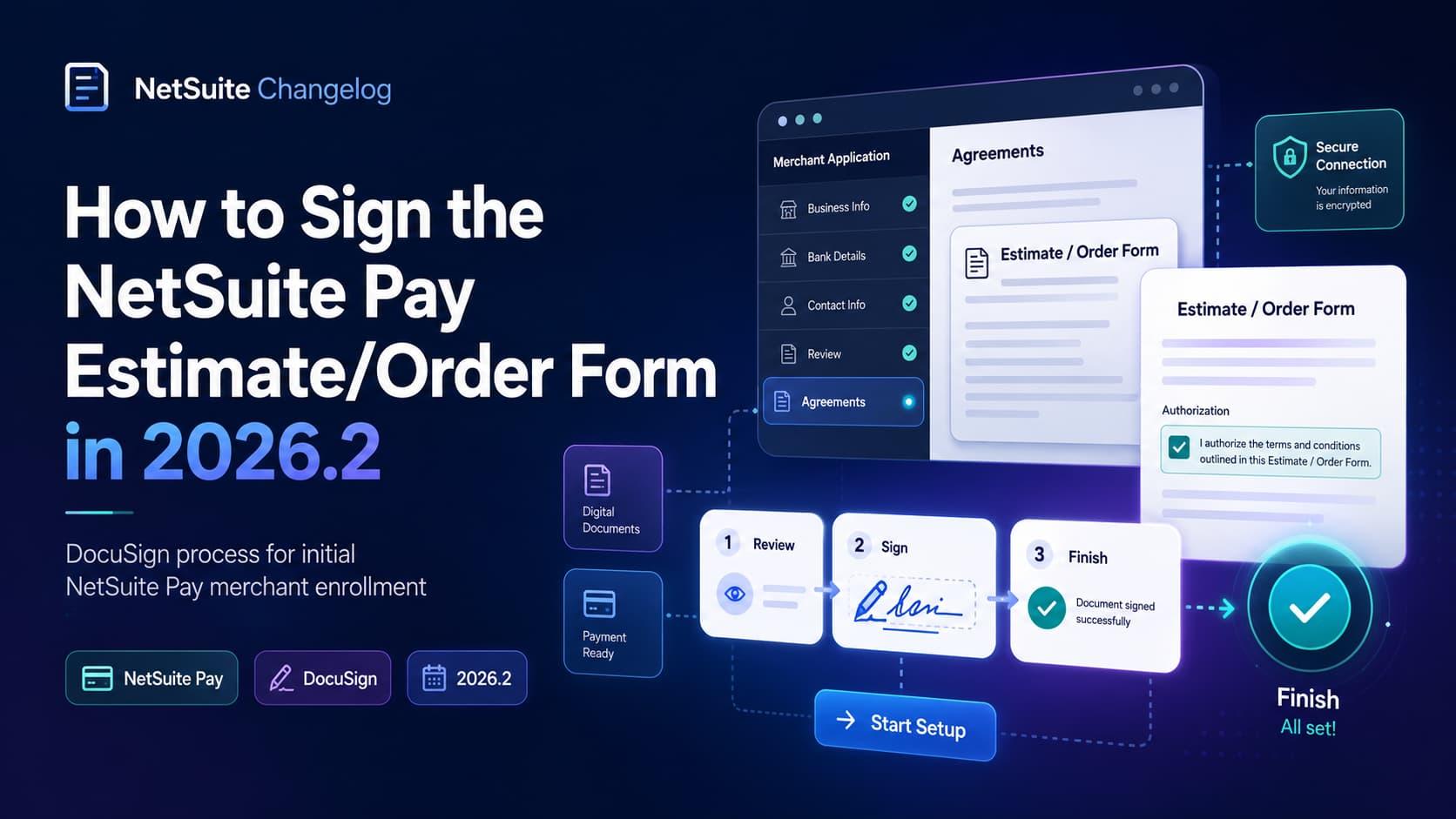
Sign the NetSuite Pay Estimate/Order Form in NetSuite 2026.2 during an initial merchant application by using DocuSign. The primary contact must log in with the Administrator role, confirm contract authority, complete the DocuSign signature, and then continue with Start Setup. NetSuite saves the signed PDF in Document > Files > File Cabinet > Service Agreements.
TL;DR: For an initial NetSuite Pay signup in the United States or Canada, excluding Quebec, the primary contact logs in using the Administrator role and goes to NetSuite Pay > Merchant Application > New Application. Check the authorization confirmation, review and sign the document in DocuSign, then click Finish. An email is sent with viewing and download details. Select Start Setup to access the NetSuite Pay Overview dashboard. The signed PDF is saved in Service Agreements in the File Cabinet.
Key takeaways
NetSuite 2026.2 requires electronic signing of NetSuite Pay Estimate/Order Forms through DocuSign.
The requirement applies to the initial NetSuite Pay signup for customers in the United States and Canada, excluding Quebec.
The primary contact must use the Administrator role and confirm they are authorized to enter into contracts on the organization’s behalf.
Begin at NetSuite Pay > Merchant Application > New Application.
After signing, click Finish, then select Start Setup to access the NetSuite Pay Overview dashboard.
Find the signed PDF at Document > Files > File Cabinet > Service Agreements.
NetSuite Pay DocuSign signing in 2026.2
NetSuite 2026.2 introduces digital signing for NetSuite Pay Estimate/Order Forms through DocuSign. Electronic signing is required as part of the initial NetSuite Pay signup process for customers in the United States and Canada, excluding Quebec.
For administrators, the important distinction is that this is an onboarding requirement, not a document to locate after setup. The primary contact starts the merchant application in NetSuite, confirms authorization to enter into contracts, completes the DocuSign prompts, and then selects Start Setup to proceed with the merchant account application.
This article covers the Estimate/Order Form signing requirement. For broader context on payment processing after onboarding, see the NetSuite Pay setup, payment, and settlement workflow. The official NetSuite signing reference is also available for the source process.
Who signs the NetSuite Pay Estimate/Order Form?
The signing process is mandatory for authorized signatories during initial signup. The primary contact must log in to NetSuite using the Administrator role, confirm that they are authorized to enter into contracts on behalf of the organization, and complete the electronic signature in DocuSign.
The source instructions identify both the required role and the required authorization confirmation. Before starting, make sure the designated primary contact can satisfy both conditions:
They can log in using the Administrator role.
They are authorized to enter into contracts on behalf of the organization.
They can review the document and agree to the terms for electronic records and signatures.
Administrators are responsible for signing the forms, while primary contacts are required to confirm agreements and initiate NetSuite Pay setup. If employee access needs to be reviewed before enrollment, see adding employees and assigning NetSuite access. That separate access topic does not change the documented requirement to use the Administrator role for this signing process.
When does this signing process apply?
Use this procedure when all of the following are true:
The organization is completing its initial NetSuite Pay signup.
The customer is in the United States or Canada, excluding Quebec.
The primary contact will log in with the Administrator role.
The primary contact can make the required authorization confirmation.
The signer should be ready to review the Estimate/Order Form, agree to electronic-record and electronic-signature terms, and follow the DocuSign prompts. After signing and selecting Finish, NetSuite sends an email with details for viewing and downloading the signed Estimate/Order Form.
For related payment and transaction considerations, review NetSuite Pay order management and security features.
How to sign the NetSuite Pay Estimate/Order Form
Follow these steps in sequence for the initial NetSuite Pay signup process.
1. Log in as Administrator
The primary contact must log in to NetSuite using the Administrator role.
2. Open a new Merchant Application
Navigate to:
NetSuite Pay > Merchant Application > New Application
This is the documented starting point for the initial merchant application and its Estimate/Order Form signing process.
3. Confirm authorization and access DocuSign
Check the box stating:
“By checking this box, I confirm that I am authorized to enter into contracts on behalf of...”
Checking this box provides access to the document in DocuSign. The primary contact should make this confirmation only if they are authorized to enter into contracts on behalf of the organization.
4. Review and sign the form
In DocuSign:
Review the Estimate/Order Form.
Agree to the terms for electronic records and signatures.
Follow the prompts to sign the form.
5. Finish signing and begin setup
After signing, click Finish. An email is sent with details for viewing and downloading the signed Estimate/Order Form.
Next, click Start Setup. This opens the NetSuite Pay Overview dashboard, where the primary contact can proceed with the merchant account application.
Quick signing checklist
1. Log in as the primary contact using the Administrator role.
2. Go to NetSuite Pay > Merchant Application > New Application.
3. Check the authorization confirmation box.
4. Review the Estimate/Order Form in DocuSign.
5. Agree to electronic records and signature terms.
6. Follow the DocuSign prompts to sign.
7. Click Finish.
8. Click Start Setup.
9. Go to Document > Files > File Cabinet > Service Agreements to locate the signed PDF.
Where NetSuite saves the signed Estimate/Order Form
NetSuite saves the signed Estimate/Order Form as a PDF in the File Cabinet. To view it, go to:
Document > Files > File Cabinet > Service Agreements
The completion email provides details for viewing and downloading the signed form, while the Service Agreements folder provides the File Cabinet location for the signed PDF. Use the exact File Cabinet path when directing other authorized users to the retained agreement.
Regional and enrollment scope
The 2026.2 signing process is limited by region and enrollment stage.
SituationApplicability of this signing processInitial NetSuite Pay signup in the United StatesRequiredInitial NetSuite Pay signup in Canada, excluding QuebecRequiredInitial NetSuite Pay signup in QuebecExcluded from the stated regional scopeSignup after the initial NetSuite Pay signupThe documented requirement applies specifically to initial signup
Do not extend this procedure beyond the stated regions or initial-signup condition. Where it applies, the documented sequence is the same: the primary contact uses the Administrator role, confirms authorization, signs through DocuSign, clicks Finish, and selects Start Setup.
FAQ
Do I need to use the Administrator role to sign the Estimate/Order Form?
Yes. The primary contact must log in to NetSuite using the Administrator role as part of the initial signup process.
Who is required to sign the NetSuite Pay Estimate/Order Form?
An authorized signatory must sign the form. The primary contact must confirm authorization to enter into contracts on behalf of the organization while logged in with the Administrator role.
Is DocuSign signing required in every region?
The documented electronic-signing process applies to qualifying initial NetSuite Pay signups in the United States and Canada, excluding Quebec.
What happens after I sign the form?
Click Finish after signing. An email is sent with viewing and download details for the signed Estimate/Order Form. Then click Start Setup to access the NetSuite Pay Overview dashboard and proceed with the merchant account application.
Where is the signed Estimate/Order Form stored?
The signed PDF is saved at Document > Files > File Cabinet > Service Agreements.
Related reading
Signing the Estimate/Order Form is one part of NetSuite Pay onboarding. These related resources cover adjacent operational topics:
Advertising
Reach Administration Professionals
Put your product in front of NetSuite experts who work with Administration every day.
Sponsor This Category